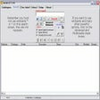
Automatically scans hardware and helps keep device drivers current for smoother performance
Automatically scans hardware and helps keep device drivers current for smoother performance
Pros
- Accurately detects hardware and driver versions
- Directs users to official manufacturer support pages
- Lightweight and low on system resources
- Clear and simple interface
Cons
- Does not automate driver downloads in the free version
- Installer may include third-party software offers
- Only updates one driver at a time in the Pro version
A lightweight tool to check for out-of-date drivers and manage updates.
Overview of DUMo
DUMo (Drivers Update Monitor) is a driver management utility designed for Windows that enables users to keep their system drivers updated with minimal effort. Created by KC Softwares, this application automatically scans hardware components, detects installed drivers, and informs users about outdated versions. By providing detailed hardware and driver information, DUMo aims to streamline the often complex process of driver maintenance.
Features and Functionality
DUMo stands out with its automated driver detection. Upon launch, the software conducts a system scan, compiling a list of all connected hardware along with associated drivers. The status for each is clearly displayed, highlighting which drivers are up-to-date and which require attention.
One of the program’s strengths is its straightforward display. Devices are listed by hardware name, driver version, manufacturer, and update availability. For devices with outdated drivers, DUMo provides a web link to the manufacturer’s support or download page. This ensures users are directed to official sites, reducing the risk of downloading potentially harmful files.
The free version primarily serves as a driver notifier, guiding users to where updates can be found. The Pro variant unlocks additional features such as download site options and the capability to automate parts of the update process. However, even in its basic form, DUMo effectively consolidates driver management tasks in one place.
User Experience and Performance
The application is lightweight and presents a minimalistic interface that is accessible to both novice and experienced users. Scanning for hardware and driver status is completed quickly and with a low impact on system resources. There’s no unnecessary clutter, and navigation is intuitive.
Despite these advantages, DUMo does not automate the entire update process in the free version. Users must manually access the links provided and download/install new drivers themselves. Additionally, the installer can come bundled with optional third-party offers, so careful attention during installation is advised.
Reliability and Security
A key benefit of DUMo is its focus on guiding users toward official download sources. Unlike some tools that attempt to offer one-click downloads and risk providing outdated or incompatible files, DUMo opts for transparency and user control. The software itself does not directly install drivers, reducing the chances of system conflicts or malware.
However, users seeking a truly hands-off experience may find the lack of direct updating a limitation. For those who prefer more control and want to avoid automated driver changes, DUMo is a reliable solution that reduces overall risk.
Conclusion
DUMo is a practical choice for anyone needing to monitor and manage driver updates. It prioritizes safety, keeps its resource usage low, and makes driver information easy to access and act on. While the free version requires some manual implementation and attention during installation, it remains a useful asset for regular PC maintenance.
Pros
- Accurately detects hardware and driver versions
- Directs users to official manufacturer support pages
- Lightweight and low on system resources
- Clear and simple interface
Cons
- Does not automate driver downloads in the free version
- Installer may include third-party software offers
- Only updates one driver at a time in the Pro version